![CareerPlug-Logo-2025.png]](https://support.careerplug.com/hs-fs/hubfs/CareerPlug-Logo-2025.png?width=230&height=40&name=CareerPlug-Logo-2025.png)
The holidays are approaching, and we're making it easier to tap into one of your best hiring sources: your own team. This month we're launching Employee Referrals to help you track, manage, and reward employees who bring in great candidates. Plus, we're adding Scheduling Links so applicants can book their own interviews - no more endless back-and-forth emails.
Not all features are available on every CareerPlug Plan. Each description below indicates which plans include access.
Not sure which plan you're on? Visit the Plan and Billing page inside your CareerPlug account or contact your Admins.
Employee referrals
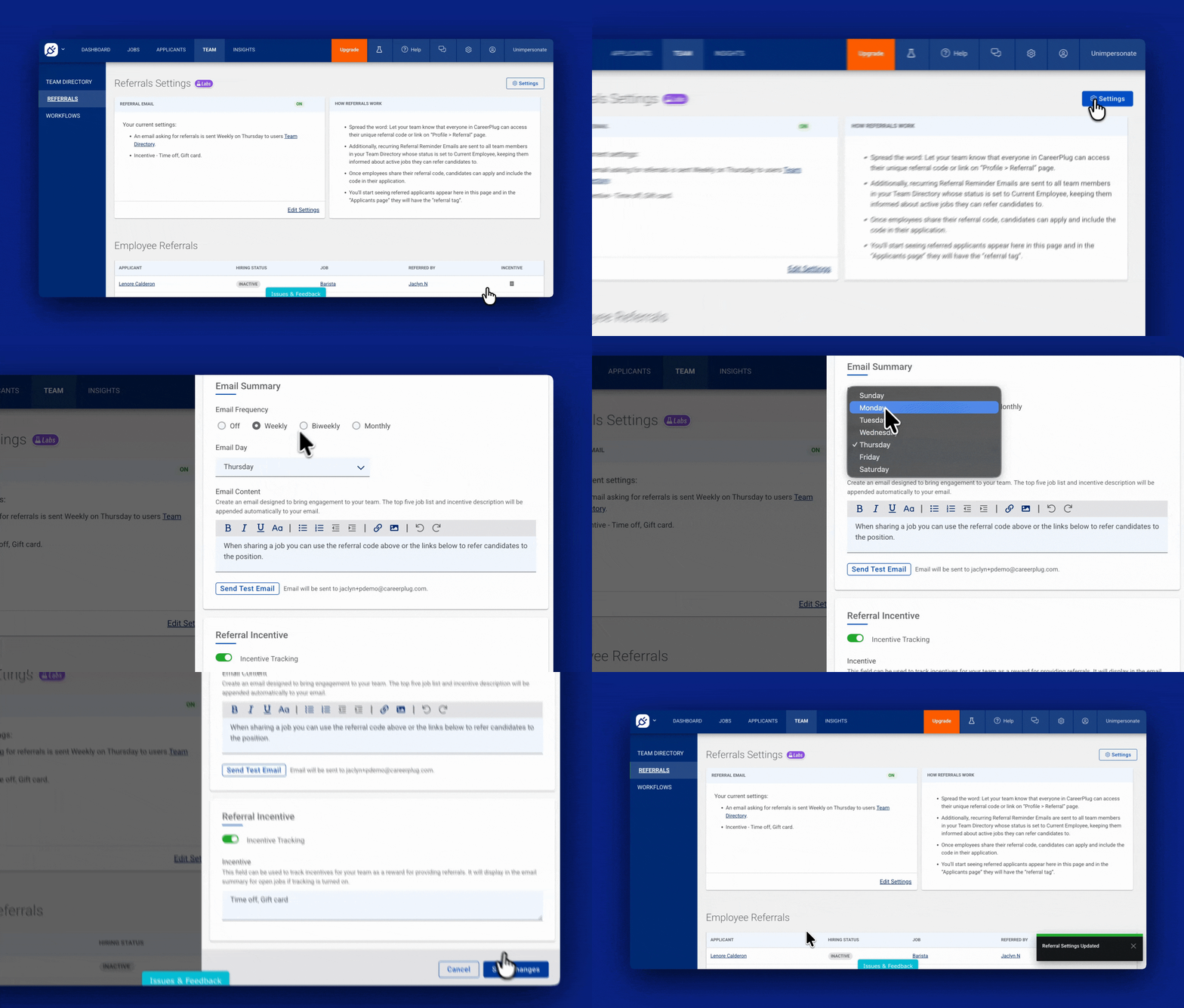
Your employees know great candidates. And referrals are faster to hire, reduce new-hire training and stick with you the longest!
The new Employee Referrals system connects employees, applicants and hiring managers with real tracking and automation. Employees get automated emails with a unique referral code and all open jobs. When someone applies using their referral code they get automatic credit!
You can manage incentives and track which referrals turn into new hires. No more manual tracking, typos or lost referrals. Plus employees can see how many referrals they’ve made, how many were hired, and what rewards they’ve earned.
Set up employee referrals now or learn more about them.
Interview scheduling link
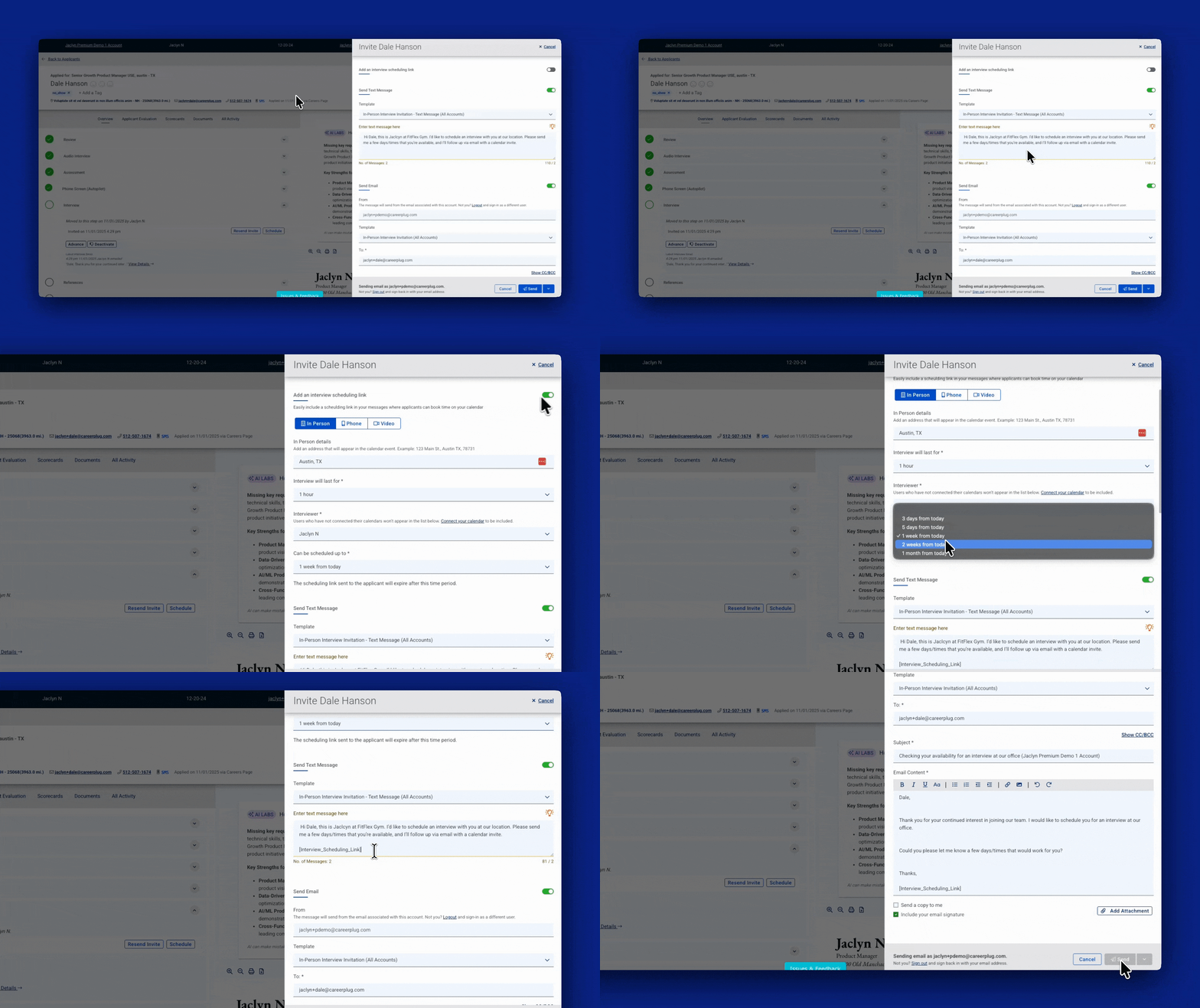
Add an interview scheduling link directly in your interview invitation templates (both email and text!).
Applicants click the link to self-schedule a time that works for everyone on your connected calendar. That’s it!
No more back-and-forth messages. No missed interviews. Just faster and smoother interview scheduling for everyone!
Bugs that have been fixed over the last 30 days
We’ve been fine-tuning CareerPlug to ensure a smoother experience for you! Here are some of the key fixes we’ve made this month.
- Prescreen question scores tooltip displays correctly — You can now see the full preview explaining why an applicant received their prescreen score.
- Valid birthdates save without errors — Entering birthdates on the onboarding page now works properly whether typed or selected from the calendar.
- Application form fields display in the correct order — Form fields now appear in the order you set on the form builder.
- Questionnaires don’t freeze anymore — Add as many questions as you want without the page freezing.
- Job template formatting toolbar looks normal again — The toolbar under Job Template Description no longer looks like alphabet soup.
- “Show Me” filter works on My Tasks page — Managers can now properly filter tasks using the dropdown options.
- Resumes show up like they’re supposed to — PDFs now load correctly so you can actually see applicant resumes.
- Steps in your hiring process now stay in line — When editing your hiring process, steps now smoothly show across one row instead of wrapping everywhere (only Admin users can edit hiring processes).
Share your thoughts!
We’re constantly working to make CareerPlug better for you, and your feedback is essential to making that happen!
If you’d like to schedule time with our Product team to provide feedback on CareerPlug, please schedule time with us here.