![CareerPlug-Logo-2025.png]](https://support.careerplug.com/hs-fs/hubfs/CareerPlug-Logo-2025.png?width=230&height=40&name=CareerPlug-Logo-2025.png)
Here's what's new in CareerPlug this month: a smarter way to write messages to applicants, faster page loading for the Applicant Board page, more control over how onboarding tasks get approved, and a stack of fixes that make hiring and retaining your winning team easier.
Not sure which plan you’re on? Visit the Plan and Billing page in your CareerPlug account or contact an Admin user.
Two new ways to manage Workflow To Dos with less effort and more control
You can now easily verify an employee completed a To Do by requiring them to sign it before they mark it complete, that way you know it's been done and there's proof.
And since not every Task needs your eyes on it, Manager approval is no longer required by default when creating To Dos. So you're in control over which ones need your approval.
Create or edit To Dos in your Workflows.

This feature is available for Grow plan subscriptions.
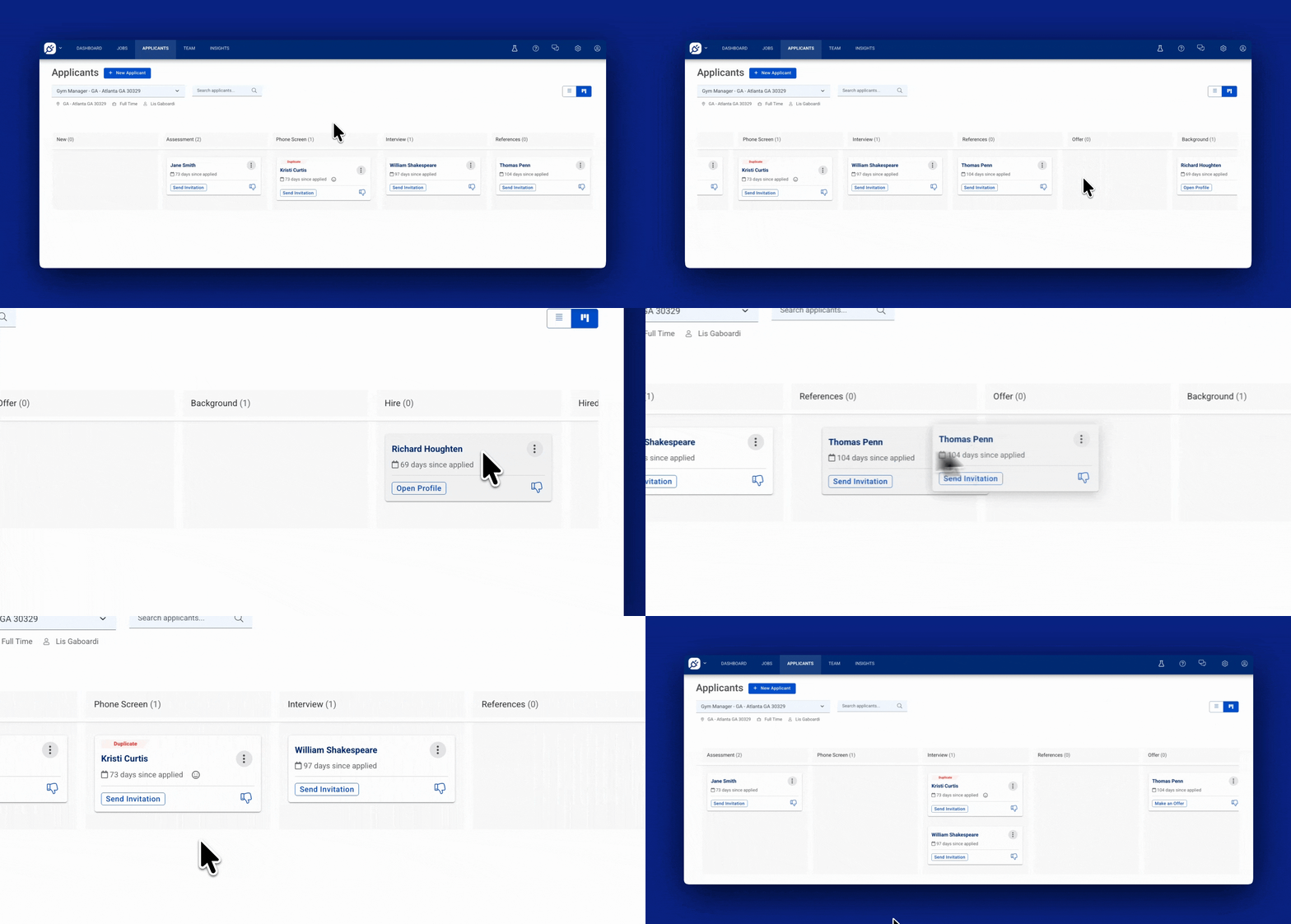
Faster loading Applicant Board View page
We heard you - Applicant Board View was taking a long time to load especially if you have a lot of applicants. We made improvements to the speed of the page so you spend less time waiting and have more time to review applicants.
See the new lightning-fast page.
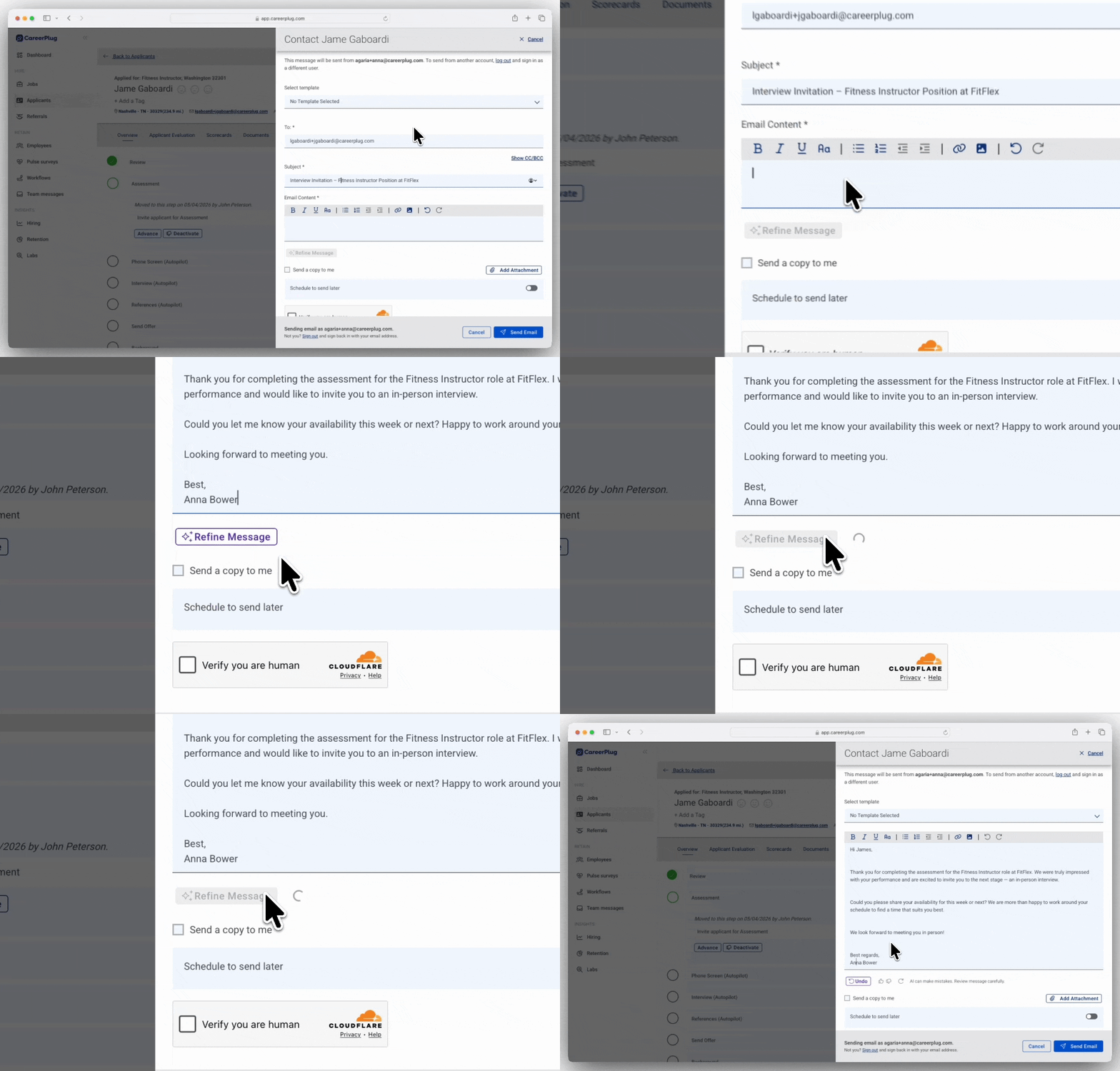
Labs: Clean up typos, grammar and mistakes before sending messages to applicants with AI
You don’t need to worry about getting your messages to applicants perfect anymore - the new Refine with AI button does it for you! Typos, grammar and misspelled names are a thing of the past.
Turn on the new Refine with AI button.
This feature is available for all plan subscriptions.
Bugs that have been fixed over the last 30 days
We’ve been fine-tuning CareerPlug to ensure a smoother experience for you! Here are some of the key fixes we’ve made this month.
- Applicant filters are now consistent after multiple resets — Filters on the Applicants page could behave unpredictably after being reset several times. Filtering now works reliably every time.
- Printed assessments no longer get cut off in the new navigation experience — Some assessment questions were missing from printed results. Full assessments now print correctly.
- The Applicant Board/List view toggle on the Applicants page now stays put when clicking through the side navigation menu — Switching to Board view and navigating away used to silently reset you back to List view. Your view now persists correctly.
- The Applicant Board view icon now matches your account's theme color (if you have one) — This icon was previously stuck on a default color instead of matching your branding (when enabled). It now follows your theme.
- Toggling off Job Templates no longer produces a 404 error — Attempting to turn off Job Templates sent some users to an error page instead. This now works correctly.
- Closed job postings no longer display an "Invalid" posting status — Some closed jobs showed this confusing label instead of their actual status. Closed jobs now display correctly.
- "Mark all as read" now clears correctly for applicants who've opted out of texting — This action wasn't fully clearing the unread indicator for these applicants. It now works the same for every applicant.
- Task previews now load for Pre-Loaded and Partnership workflows — Previewing an individual task in these workflows showed a blank screen. Previews now display correctly.
- Dual-sided forms now allow all admins to submit manager fields — Some Admins couldn't complete the manager's side of a dual-sided form, blocking paperwork from being finished. All Admins can now submit these fields.
- Bulk Assignment button no longer stays greyed out — Attempting to bulk-assign a Workflow Task could leave the Assign button disabled with no way to proceed. The button now enables correctly so you can complete the bulk assignment.
- Employees who've completed 100% of their onboarding tasks no longer appear under "# Employees Onboarding" — This dashboard count now reflects only employees still in progress.
- Optional instructions on PDF applicant forms now appear as expected — These instructions were missing from some forms. They now show up wherever they've been added.
- The "Required Onboarding" workflow no longer appears multiple times in the Tasks page filter — The workflow dropdown listed several duplicate entries with inconsistent results. It's now a single, clear selection.
- Updated several state W-4 forms and onboarding task names for accuracy — Some state tax forms and their related task labels were out of date. They've been refreshed to reflect the correct forms and names.
Share your thoughts!
We’re constantly working to make CareerPlug better for you, and your feedback is essential to making that happen!
If you’d like to schedule time with our Product team to provide feedback on CareerPlug, please schedule time with us here.
Not all features are available on every CareerPlug plan. Each description indicates which plans include access.